
| Feature | Description |
|---|---|
| Theme | Eduadmin Admin Dashboard |
| Type | Admin Dashboard |
| Framework | Bootstrap 4 |
| CSS | SASS base CSS |
| Features | Order, Revenue, Shopping |
| Tracking | Sales visits, Monthly |
| Responsive | Fully responsive 📱 |
| UI Elements | Buttons, Carousel, Modal |
| Charts | ChartJS, Morris, Flot |
| Widgets | 50+ widgets 🎉 |
| Form Elements | Inputs, Checkboxes |
| Pages | Invoice, Profile, Login |
| Blog | 4 Style Blog Pages |
| Error Pages | 404, 500 |
| Shop | Categories, Cart, Orders |
| Headers | 5 Style |
| Footers | 6 Style |
| Search Bar | 2 Style |
| Additional Features | MegaMenu, Vertical Slider |
| Version 5.0 | Bootstrap 5.3, Tailwind |
| Version 4.1 | Bootstrap 5.2 |
| Version 4.0 | New Dashboards |
| Version 3.2 | CSS updates 🎨 |
| Version 3.1 | Bootstrap 5, Bug fixes |
| Version 3.0 | New Demos |
| Version 2.2 | New Demos Added |
| Version 2.0 | CSS updates |
| Version 1.2 | CSS updates |
| Version 1.1 | CSS updates |
| Version 1.0 | Initial Release 🚀 |
Introduction
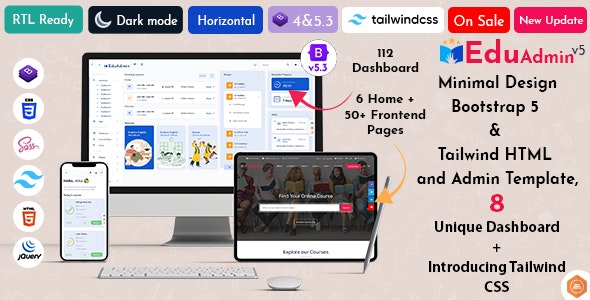
The Eduadmin Admin Dashboard seeks to make an effective administration interface for web applications. The dashboard is relatively based on a Bootstrap template and is designed primarily for developers using the latest Bootstrap 4 & SASS due to the dashboard’s uncluttered interface, suitable for use in various online applications, including education and eCommerce.
Design & Usability
The Eduadmin Admin Dashboard features a combination of simplicity and creativity to ensure that the interfaces appeal to various populations. This dashboard comes with an array of UI components such as buttons, modals, drop-downs, among many others. The template is fully mobile/tablet responsive.
Functionality
The Eduadmin Admin Dashboard allows for deep analysis and tracking of business process data. The information to be tracked permanently includes orders, revenue, the number of sales visitors, and monthly effectiveness, among others. Particularly, there are plenty of widgets and plugins available on the dashboard for you to monitor job statistics and other information.
Widgets & Components
It seems like there are over 50 content widgets available, such as charts, social widgets, weather, and blog widgets, among others. Widget components include UI components such as badges, carousels, progress bars, and timelines, among others. Although they are not neglected, the dashboard has advanced media options, form validation, and pre-built forms, among others.
Special Features
The Eduadmin Admin Dashboard works well with class features that fit the purpose of both education and eCommerce applications. With the presence of student dashboards, a list of courses, and detailed pages, this template works well for online educational websites. Other templates include live chat, calendars, mailbox, taskboards, among others, that suit project management well.
Form and Page Options
This template offers enough form options like the standard inputs that include default inputs, custom checkboxes, a password strength meter, and the form wizard. There are additional pages like the support tickets page, invoice pages, login and register pages, error pages, and others included in the template, thus providing a one-stop solution for web applications.
Recent Updates
The Eduadmin Admin Dashboard is constantly being updated, and the latest updates include the use of the latest technologies. The recent updates done include the addition of Tailwind CSS and Bootstrap 5.3, among many others. All these updates have helped ensure that the template remains relevant to modern website development trends.
Conclusion
In the past year, the Eduadmin Admin Dashboard has been the best-crafted multipurpose admin template that can be used for different applications, especially those in the field of education and eCommerce. It is the appealing design, functionality, and the promise of future updates that make the template a worthy solution for any web developer.