
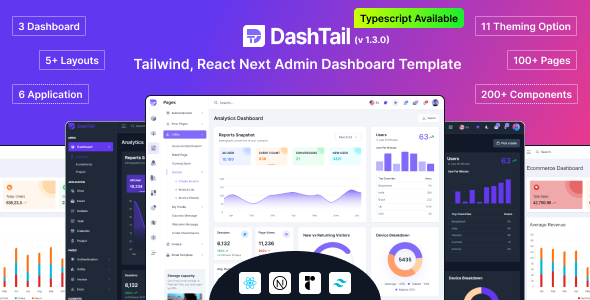
| Feature | Details |
|---|---|
| Template Name | DashTail |
| Technologies | React, Vue-3, Tailwind CSS |
| Framework | Next.js |
| Developer Friendly | Yes 👍 |
| Clean Code | Yes |
| Dashboards | 3 Types |
| Themes | Light, Dark 🌗 |
| Layouts | Multiple |
| Responsive | Yes 📱 |
| Documentation | Well Documented 📃 |
| Support | Active Support 💬 |
| Conceptual Dashboards | Analytics, Ecommerce, Project |
| Applications | Chat, Email, Kanban, Calendar, Project |
| Pages | Multiple Auth, Invoice, Pricing |
| Advanced Elements | Forms, Cards, Tables, Statistics |
| Components | Alert, Avatar, Accordion, Badge |
| Version 1.3.0 | Published: 10 June 2024 |
| Version 1.2.1 | Published: 02 June 2024 |
| Version 1.2.0 | Published: 20 May 2024 |
| Version 1.0.0 | Published: April 2024 |
Introduction
DashTail is a highly flexible and developer-oriented templated admin dashboard. Designed specifically with advanced and innovative technologies such as Next.js and Tailwind CSS, it is aimed at making it easier to develop scalable and high-performance web applications. This review will cover various aspects of the product – its features, design and usability.
Developer Friendly Dashboard
DashTail is primarily targeted at developers, hence building more complex applications becomes much less challenging. DashTail supports React, Vue 3, Tailwind CSS, Headless UI. The template contains well-organized code, which is a must-have for maintaining and developing a robust application. However, due to having several dashboards, themes, and layouts, it allows developers to customize and adjust the template according to their requirements.
Multiple Dashboards
The template includes three major conceptual dashboards – Analytics, Ecommerce and Project Management dashboards. The other pre-made dashboards can be quite useful for engineers who want to develop similar applications. These dashboards make it possible to easily transfer any complexity into the platforms and manage the data properly.
Themes and Layouts
DashTail includes several color schemes in order to meet developers’ needs while working on a certain project. Also, there is a variety of pre-made layouts like Horizontal Menu, Vertical Menu, Collapsed Menu, etc. This way, developers can develop an appropriate user experience.
Applications and Pages
The template comes with several applications like Chat, Email, Kanban, and Calendar, which speeds up the process of developing applications. In addition to applications, DashTail offers several pages such as Auth Pages, Invoice Page, Pricing Page, etc. These pages are aimed at unifying the design.
Advanced Elements and Components Out of the advanced elements, there are more than 80 forms, cards, tables, statistics, weather, and charts or maps included in the DashTail template. All the elements mentioned above are flexible enough to be used in any project. Besides, there is a variety of components in this template including Alerts, Avatars, Badges, Buttons and many others. All components follow Tailwind principles.
Support and Updates DashTail has active support and regular updates for users. There is organized documentation in the DashTail template that helps the developers on their way to finding a solution. The Dessine team is very accessible and ready to solve all the issues.
Conclusion
DashTail admin dashboard template is powerful and flexible and suitable for developers aiming to develop high-performing web applications. Because of the many features, themes, and layouts provided, DashTail provides the best solution for all your endeavors. You will definitely appreciate all the benefits provided by this template due to pre-designed applications, pages, and components.
I recently purchased this template on ThemeForest, and I am extremely satisfied with it. The template is very comprehensive and utilizes most of the trending libraries currently in vogue. Additionally, the support team is quick and efficient, providing assistance whenever needed. Highly recommend!
Developed with the latest version of Next.js, we asked support if there was a TypeScript version in addition to JSX, and if multi-language could be added. In less than ten days, the demo version was provided in TypeScript version with integrated multi-language: BRAVO.
The documentation and code quality require further improvements, as the current implementation has limited features, lacks flexibility, and contains bugs. Significant enhancements are needed in both documentation and code quality to effectively address these issues.
I added a comment about a missing React diagram, and the next day, it was added in the new version. I hope you’ll also update with new components and features. Thanks, team, for the great work!
Nice design, using all good dependency components. I hope more components and example pages are added soon.