
| Theme Name | Tutturu |
|---|---|
| Type | Elementor Template Kit |
| Not | WordPress theme |
| Page Builder | Elementor |
| Optimized for | Hello Elementor |
| Templates | Home |
| About | |
| Course | |
| Contact Us | |
| Team | |
| Testimonial | |
| FAQ | |
| Blog | |
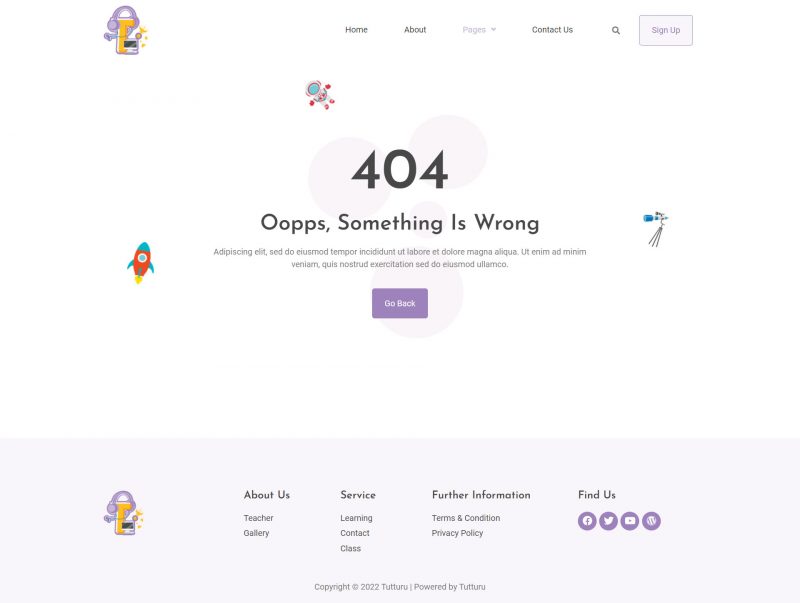
| 404 | |
| Required Plugins | Elementor |
| Jeg Elementor Kit | |
| ElementsKit | |
| Metform | |
| Header & Footer Builder | |
| Fonts Used | Josefin Sans |
| Roboto | |
| Install Plugin | Envato Elements |
| Upload Kit | Elements > Installed Kits |
| Import Templates | One at a time |
| Create Page | Edit with Elementor |
| Customize Headers | Theme Builder (Pro) |
| Import Metforms | Metform widget |
| Global Header/Footer | Header Footer & Blocks |
| Demo Images | Envato Elements |
| Image Licensing | Envato Elements |
Fast and Efficient Web Development.
Tutturu is one of the Elementor Template Kits aimed at easy and enjoyable creation of websites. It is not a WordPress theme; it is rather a set of page contents, which should work together with the Elementor Page Builder plugin. This template kit is designed to be used with the free Hello Elementor theme, though it should work well with almost any Elementor theme.
Template Offered
In total, there are more page templates offered, like Home Page, About Page, Course Page, Contact Us Page, Team Page, Pricing Page, Testimonial Page, FAQ Page, Blog Page, and 404 page, which can be found in the Tutturu template kit. Those pages are typical of most businesses’ needs since they include basic elements of any full-fledged website.
Required Plugins
In order to take full advantage of using the Tutturu template kit, one has to install particular plugins. These plugins are Elementor, Jeg Elementor Kit, ElementsKit, MetForm and the Header & Footer Builder for Elementor. Those plugins make it possible to improve the templates, making further improvements possible.
Typography.
As for Tutturu, the following fonts were applied: Josefin Sans and Roboto. Those fonts are modern and minimalistic, ensuring that the text of websites will be presented in a fashionable and functional way.
How to Use Tutturu Template Kits
Here are the steps for using the Tutturu template kit. First, you need to install and activate the “Envato Elements” plugin. After that, you should download your template kit file without unzipping it. Go to the Elements > Installed Kits tab, and upload the template kit. You may also connect your Envato Elements subscription for this purpose. Follow the instructions to install any required plugins, and import Global Kit Styles and particular templates. After that, go to WordPress and create some new pages to edit them with Elementor.
Editing with Elementor Pro
In case you have Elementor Pro, you will be able to use the Theme Builder for customization of the headers and footers. This makes it easier for you to customize the layout design as you want to.
Import MetForms
While importing MetForms, first of all load the MetForm block templates. After that, import the page template containing the form. Now turn on the Navigator and choose the MetForm widget for editing the form. You can add, edit and update a template to make the form a part of your website.
How to Create Global Header and Footer
Make the focus on the same pages at a time when you want to set up the global headers and footers. Here, the one is already imported; select suitable titles for the characteristics of the units. After this, edit in mos and 1287 you have imported the template and that’s it, your changes are done.
Sample Images
Tutturu Template Kit 4 Horizontal Gallery contains demo images from Envato Elements. In case you want to use them, you need to buy the license for them at Envato Elements. Otherwise, you are free to use any other images instead of them.
Summary
If you want to develop your website very fast and easily… Tutturu Elementor Template Kit is your choice and Tutturu Elementor Template Kit is the best option for that. It consists of plenty of templates which are suitable for all types of business and the required plugins for its customization. The use of stylish fonts with the ability to add colorful and unique headers and footers makes it attractive.