
| Feature | Description |
|---|---|
| Mode Switcher | Dark/Light Mode |
| Font Size | Font size switcher |
| Documentation | Onepage documentation 📄 |
| Support | Support Center, Forum |
| RTL Version | Full RTL version |
| Version | 1.2.1 |
| Use Cases | API, frameworks, plugins |
| Framework | Bootstrap 4 |
| Optimization | SEO optimized |
| Devices | Desktop, mobile, iPad |
| Tools | Dark mode switcher |
| Header | Sticky & Non-sticky |
| Feedback | Documentation feedback 📢 |
| Pre-loader | Dynamic pre-loader |
| Footnotes | Doc reference footnotes |
| Preview | Page preview tooltip |
| Image Hotspot | Targeted image parts |
| Layout | Responsive Layout 📱 |
| Code | CSS3 & HTML5 |
| Files | SCSS files included |
| Menu | Megamenu |
| Pages | 40+ Pages |
| Sidebar | Sticky sidebar |
| Layout | Full-width layout |
| Highlight | Syntax highlighter |
| Buttons | Button variations |
| Typography | Typography |
| Tabs | Tabs |
| Alerts | Alerts/Messages/Notes |
| Accordion | Accordion |
| Lightbox | Lightbox |
| Tooltips | Tooltips |
| Carousel | Carousel |
| Directory | Directory explanation |
| File Tree | File tree navigation |
| Content | Table of content |
| Changelog | Software changelog |
| Property | Property table |
| Feedback | Article feedback |
| Video | Responsive video 🎥 |
| Customization | Easy to Customize |
| Framework | Bootstrap 4 |
| Style | Unique and Modern |
| Layout | Clean Layout |
| Design | Creative Design |
| Animations | Great CSS Animations |
| SEO | SEO Optimised Code |
| Validation | W3C Validated Code |
| Mailchimp | Mailchimp integrated |
| Fonts | Free Google Fonts |
| Icons | Font Based Icons |
| Browser | All Browser Supported |
| Code | Developer-friendly code |
| Update | Free Update 🔄 |
| Comments | Well Commented Code |
| Icons | The Elegant Icon |
| Icons | fontawesome |
| Images | Freepik, Unsplash |
| Update Date | 18 July 2024 |
| Update | Added RTL version |
| Version | 1.2.0 |
| Change | Dark mode improved |
| Version | 1.1.4 |
| Change | Blog Details Tweaked |
| Version | 1.1.3 |
| New | Blog Details 02 |
| Fix | Google fonts issue |
| Version | 1.1.2 |
| Change | Overall design tweaked |
| Version | 1.1.1 |
| Change | Search Banner tweaked |
| Version | 1.1.0 |
| New | Helpdesk & Contact pages |
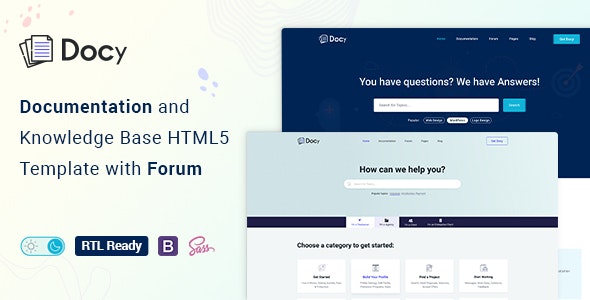
Docy is a powerful and flexible WordPress template that will help its users create an entire documentation site online. If you want to document your API, frameworks, plugins, templates, software, or user guides, here is Docy, which will give you everything you need to do that.
Ease of Use
As far as basic functionality goes, Docy is very oriented toward users in terms of their ability to read and navigate through the site. There is a light and dark mode switcher, along with a font size switcher, to enable users to customize their experience. The whole context of the website makes it easy to pay full attention to the content without any distractions.
Responsive Design
The most important selling point of the Docy template is the ability of the website to be responsive and layout on any type of device. As you can see, the template itself is based on Bootstrap 4 and hence is responsive. It will be useful for those users who want to consult the documentation anytime they need it, be it on a desktop, laptop, tablet, or even smartphone.
Powerful Tools
In order to help you with creating an interactive and exciting online documentation, Docy comes with many tools. Among them are a dynamic pre-loader, annotations or footnotes, page preview tooltips, and image hotspots. Also, there are sticky and non-sticky headers, one-page scrollable documentation, and a detailed table of contents.
Developer-Friendly
This template is a true dream for developers. Although all the work is done using the template, all the best coding practices and requirements from w3.org are supported. Moreover, it is SEO-friendly and hence easy to find by people looking for your documentation. The code itself is very well commented and therefore can be changed easily by anyone with the necessary skills.
Modern and Clean Design
This template has a unique and modern design that is also quite clean and clear. Apart from its appealing looks, it has many useful elements like professionally created CSS animations, a megamenu, many types of buttons, and many other elements such as tabs, alerts, accordions, lightboxes, tooltips, and carousels.
Comprehensive Capabilities
As was mentioned earlier, there are various capabilities offered by the Docy tool when it comes to documentation. Some of the capabilities include a sticky sidebar, syntax highlighter, property table, article feedback, and responsive video support for YouTube, Vimeo, and self-hosted video. In addition, the theme supplies integration with Mailchimp and Google Fonts that allow you to easily create professional-quality documentation.
Conclusion
To summarize everything mentioned above, one can say that Docy is a very rich in capabilities WordPress theme that can be used for the creation of different kinds of temporary documentation. With its responsive design, functionality, and neat appearance, it is a great option for maintenance informational websites that have complex characteristics. If you are a developer or a business owner, or both, this tool will be able to provide you with everything needed for excellent documentation production.