
| Feature | Description |
|---|---|
| Framework | Bootstrap 4x |
| UI Components | Reusable |
| Plugins | Latest jQuery |
| Styles | Developed with SASS |
| Responsiveness | Fully Responsive |
| Browsers | All Major |
| Devices | Seamlessly Works |
| Bootstrap Version | 4.4.1 |
| SASS | Style Editing Easier |
| jQuery Version | 3.4.1 |
| Build Tool | Gulp |
| Package Management | NPM |
| Templates | Light & Dark |
| Switch Template | One Click |
| Color Options | Multiple |
| Font Icons | Font Awesome 5 |
| Documentation | Detailed 📄 |
| Code | Clean & Well Commended |
| Validation | W3C Validated |
| Data Export | CSV, Excel, PDF |
| Charts | Many Options 📊 |
| File Upload | Multi |
| Icon Options | Multiple |
| Gallery | Two Types |
| Sliders | Two Types |
| Maps | Google & Vector |
| Editors | CKEditor, Summernote |
| Data Table | Included |
| Apps | Chat, Portfolio, Blog |
| Form Wizards | Included |
| Calendar | Event 📅 |
| Chat Application | Included |
| Demo | Lite Full, Dark Full 💡 |
| Support | Always Happy to Help 😊 |
| [email protected] 📧 | |
| Version | 1.0.0 |
| Release Date | Jan 12th, 2020 |
SASS for Easy Customization
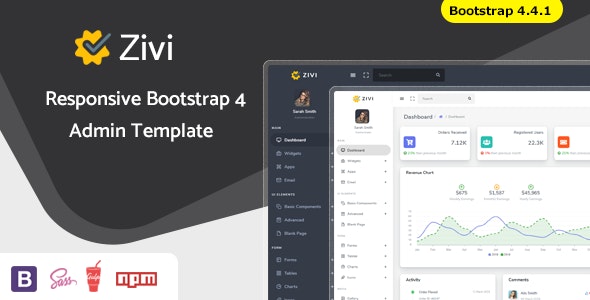
Zivi is a Bootstrap 4x framework-based dashboard template. It is both powerful and lightweight. With SASS used in this template, it is easy to customize stylesheets, which is a better option for developers to create their dashboards without dealing with any difficult code.
Responsive and Cross-Browser Compatibility
Zivi is fully responsive and cross-browser compatible. The dashboard works fine in terms of visual design regardless of the browser/device used. This kind of cross-browser compatibility helps provide a good user experience.
Wide Variety of UI Components
There are plenty of reusable UI components in this template. There are several choices of colors, light/dark templates with click switcher, icons from Font Awesome, Material Design, Ion Icons, Weather Icons and others. These customization options can help users adjust the dashboard in accordance with their needs.
More Than Sufficient Data Tools
Zivi has great possibilities for working with data. It is possible to export data tables to CSV, Excel or PDF files, and copy or print them. There are also options such as amChart; apexChart; eChart; chartJs; Morris; Sparkline besides these charts. Managing and visualizing data is easy enough on the dashboard itself.
Integrated Applications and Tools
To begin with, users can obtain chat applications such as portfolio, blog, email, among others, when buying the Zivi template. There are also form wizards, an event calendar, and chat applications that can be accessed in the Zivi template. With these integrated applications, the dashboard can be used in many business environments due to its flexibility.
Detailed Documentation and Support
Apart from offering full documentation to enable users to get started fast with various functions, Zivi provides a responsive customer service team that offers support within 24 hours in case of any inquiry from customers. In spite of any difficulty that clients encounter, the timely responses provided within 24 hours ensure that their assignments continue.
Conclusion
Overall, Zivi is an easy-to-use dashboard template with a lot of functions, allows customization of its features in many ways, and comes with powerful data-working tools as well as integrated apps. As such, it makes it easy for anyone developing a very efficient dashboard, considering that it works perfectly well on different devices.